
Lift
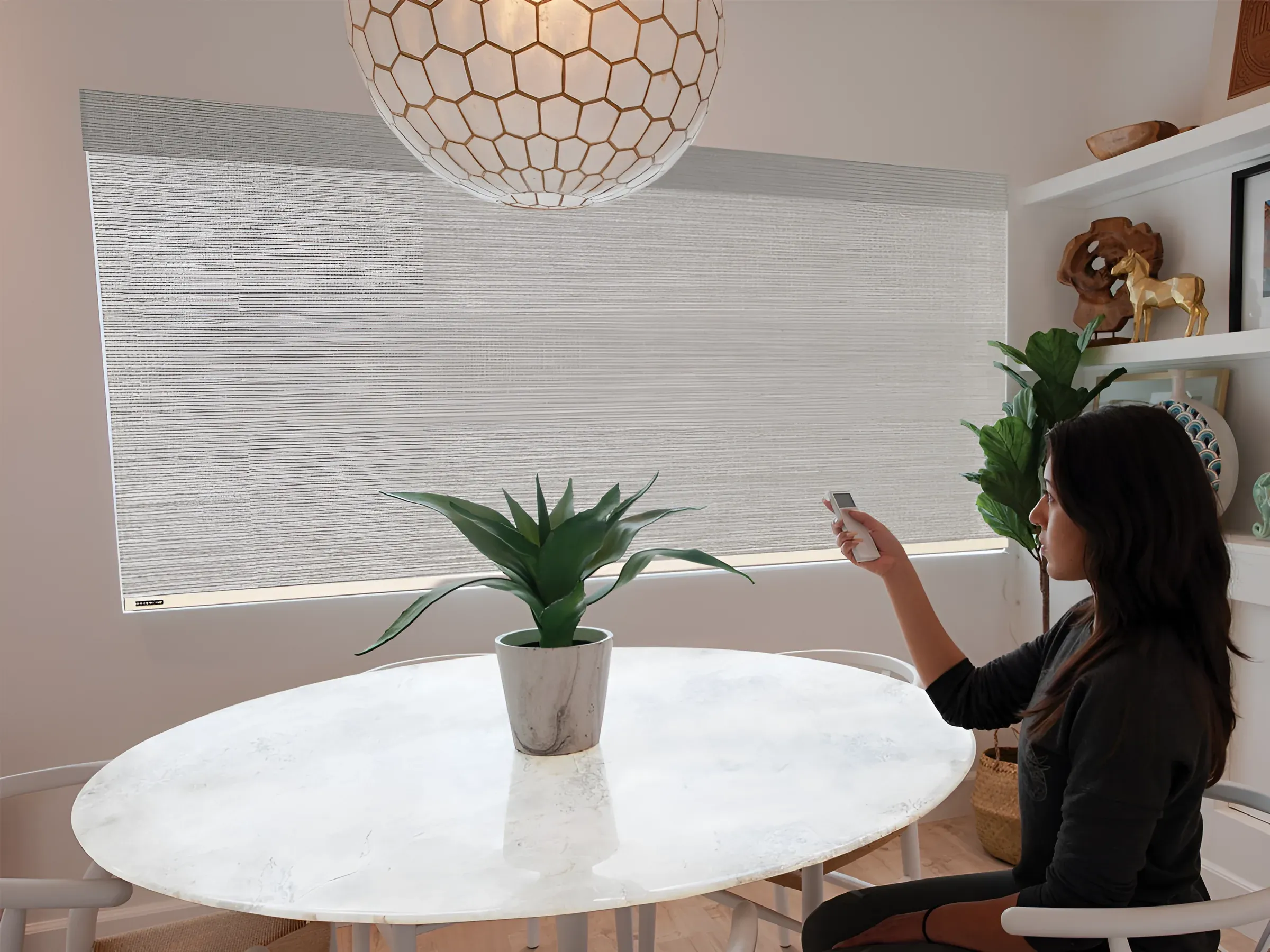
Honeycomb, roller, solar, Roman, and SmartFold™ shades raise and lower to any position, with a saved favorite for the everyday setting.
Motorized Shades
Norman® Smart Motorization on Portrait™ honeycomb, Soluna™ roller and solar, Centerpiece™ Roman, PerfectSheer™, SmartFold™, and SmartDrape™ shades. Remote, wall switch, the ShadeAuto™ app, or your voice. Installed and paired by PAPABLINDS in Seattle, Bellevue, Kirkland, and Redmond.
Every shade line we sell has a motorized version. What the motor does depends on the shade.
| Shade | Motorized versions | What moves | AutoWand™ option |
|---|---|---|---|
| Portrait™ honeycomb | Bottom up, top-down bottom-up, Day & Night, skylights | Lift; two motors on top-down bottom-up and Day & Night | Yes |
| Soluna™ roller and solar | Bottom up | Lift | Yes |
| Centerpiece™ Roman | Bottom up, Day & Night | Lift | Yes |
| PerfectSheer™ | Standard | Vane tilt and lift | Yes |
| SmartFold™ | Standard fold | Lift | Yes |
| SmartDrape™ | Left stack, right stack, center opening | Traverse | No, manual wand instead |
Blackout matters here too: a motorized schedule is only as dark as the shade. See blackout shades for side channels and outside mounts.
Lift, tilt, and traverse can share a remote and a routine, so a room with honeycomb shades on the windows and SmartDrape™ on the door closes with one press.
Honeycomb, roller, solar, Roman, and SmartFold™ shades raise and lower to any position, with a saved favorite for the everyday setting.
PerfectSheer™ rotates its fabric vanes from open to closed, then lifts the whole shade when you want the glass clear.
SmartDrape™ vanes glide along the track to the left, the right, or both sides, and you can still walk through them by hand.
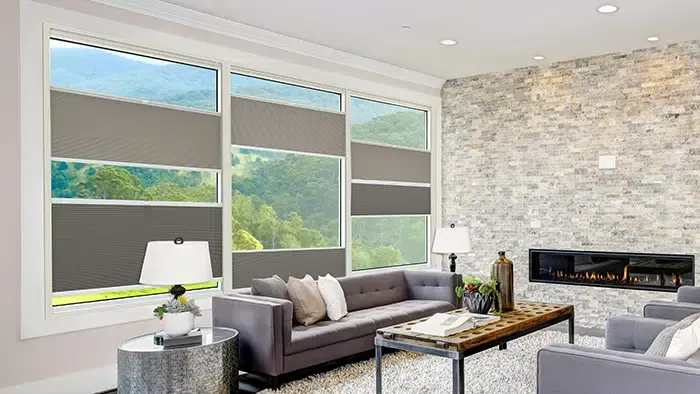
Reachable honeycomb shades below, motorized ones above, same fabric. Nobody climbs a ladder in December.
A routine in the ShadeAuto™ app closes room-darkening shades before you get home and opens them when you want to wake, not when the sun does.
Solar shades on a schedule drop before the glare reaches the screen. Six windows, one channel.
Vanes traverse from the remote in the evening; in the daytime you walk through them like drapes.
Motorization adds a power plan and a pairing session to a normal shade order. We handle both.
 © 2021 Norman®. All Rights Reserved.
Both, if you like. The remote and the wall switch work without any hub; the ShadeAuto™ hub adds the app, routines, and voice control on top. Most of our customers keep the remote on the nightstand and use the app for schedules.
Yes, with the wand, but not often. The battery lasts months, and the power meter tells you which shade is getting low. Shades near an outlet can run on an adapter and never need charging.
Yes. Portrait™ top-down bottom-up and Day & Night shades use two motors, one per rail, and both are on the remote.
Battery shades keep working; the remote talks to the shade directly. Only the app and voice control need the hub, which needs the router.
It is motorized lift without the remote: three buttons on a pendant and a rechargeable battery. Good for one or two reachable windows where you want a motor but not another remote in the house.
PAPABLINDS installs motorized shades in Seattle, Bellevue, Kirkland, Redmond, and neighboring communities. Norman® Smart Motorization is available on every shade line we carry: Portrait™ honeycomb in bottom-up, top-down bottom-up, Day & Night, and skylight versions; Soluna™ roller and solar shades; Centerpiece™ Roman shades; PerfectSheer™ layered shades; SmartFold™; and SmartDrape™ vertical fabric shades for sliding doors. AutoWand™ motorized lift is the option for a single window where a remote is more than you need.
A five-channel remote or wall switch runs the shades without any network. Add the ShadeAuto™ hub, connected to your router by Wi-Fi or Ethernet, and the ShadeAuto™ app takes over: daily and weekly routines, control from anywhere, and Siri, Alexa, and Google Assistant. Each shade has a saved favorite position and an auto-brake that stops it at an obstruction.
Most shades run on a rechargeable battery in the headrail, charged with a wireless charging wand; the optional extension pole reaches windows up to 11 feet high, and a dual power meter shows the charge in the motor and the wand. An AC adapter suits shades beside an outlet, and DC low-voltage hardwire is an option when a remodel opens the wall.
Request a free in-home visit to try a motorized sample and get a quote for the windows that need one.
Norman® product names, marks, and photos are used for product education. ™ and ® denote trademarks owned or claimed by Norman®. Norman-supplied photos: © 2021 Norman®. All Rights Reserved.